
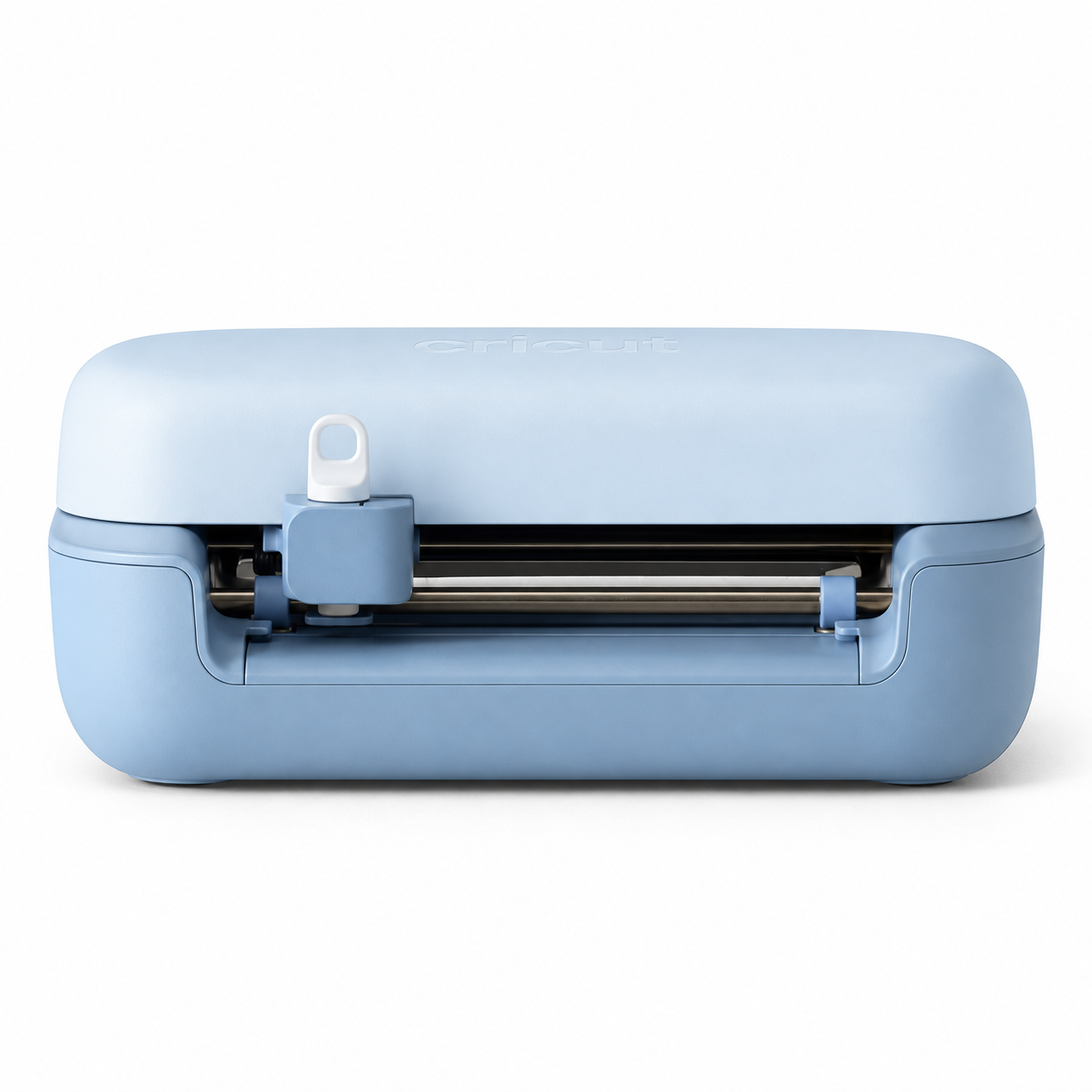
Cricut Joy 2 Smart Cutting Machine – Blue
₹14,500.00
Meet the Cricut Joy 2, a compact smart cutting machine for personalized stickers, labels, cards, decals and small creative projects. Unlike the original Cricut Joy, Joy 2 adds Print Then Cut for full-colour printable projects (with a compatible inkjet printer) and scoring for neat folds. It works with 75+ compatible materials, supports Bluetooth Low Energy and connects to Cricut Design Space.
Colour: Blue. Machine: Cricut Joy 2 (not Cricut Joy or Joy Xtra). Price: ₹14,500.
| Quantity | Price Applied |
|---|---|
- Compact smart cutting: Designed for labels, decals, cards, stickers, gift tags and small DIY projects.
- Print Then Cut: Create colourful printed stickers using a compatible inkjet printer and printable materials; Cricut Joy 2 performs the cutting, not the printing.
- 75+ compatible materials: Including compatible vinyl, iron-on, cardstock and sticker paper.
- Cut, write and draw: Personalize projects with compatible blades and pens.
- Scoring and foil transfer: Add folds and foil details using compatible accessories, which may be sold separately.
- Bluetooth connectivity: Work wirelessly with Cricut Design Space on supported devices.
- Smart Materials: Cut compatible Smart Materials without a cutting mat.
- Small footprint: Useful for home crafters and small creative businesses.
- Unbox the Cricut Joy 2 and connect its power adapter. Remove transport packaging as instructed in the official quick-start guide.
- Install or open Cricut Design Space on a compatible device and sign in or create an account.
- Switch on Bluetooth and follow the on-screen instructions to pair Cricut Joy 2.
- Create or choose a design, then select the correct material and project settings.
- Load compatible material on a cutting mat, or load compatible Smart Materials without a mat, as directed by Design Space.
- Install the required blade, pen or compatible accessory and start the project from Design Space.
- Unload the finished material and carefully remove or weed the design. For Print Then Cut, first print the design with a compatible inkjet printer, then load the printed sheet for cutting.
Cricut Joy 2 Smart Cutting Machine – Blue
Make personalized labels, stickers, cards, gift tags, decals and small iron-on projects with this compact machine. Cricut Joy 2 can cut, write, draw, score and foil transfer (compatible tools may be required). Its Print Then Cut sensor enables full-colour printed sticker projects when paired with a compatible inkjet printer and printable materials.
Key Features
- Works with 75+ compatible materials, including vinyl, iron-on, cardstock and printable sticker paper.
- Print Then Cut functionality for stickers and other printable projects.
- Scoring support for folded cards and paper crafts.
- Matless cutting with compatible Cricut Smart Materials.
- Bluetooth Low Energy connection to Cricut Design Space.
- Cutting width up to 4.5 inches (11.4 cm); continuous Smart Materials cuts up to 4 ft (1.2 m).
- Maximum cut speed 5.3 inches/second.
Specifications
| Model | Cricut Joy 2 |
|---|---|
| Colour | Blue |
| Dimensions | 23.14 × 13.79 × 6.96 cm |
| Weight | Approximately 1.2 kg |
| Connectivity | Bluetooth Low Energy (BLE) |
| Software | Cricut Design Space (compatible iOS, Android, macOS and Windows devices) |
| Functions | Cut, write, draw, score, foil transfer and Print Then Cut |
| Compatible materials | 75+ materials |
What's in the Box?
Standard Cricut Joy 2 packages include the machine, power adapter and region-specific plug adapters, plus a selection of starter materials and tools. Bundle contents vary by region and retail package. Please confirm the exact supplied bundle before ordering; additional accessories and a printer may be sold separately.
Important Notes
This listing is specifically for Cricut Joy 2, not the original Cricut Joy or Cricut Joy Xtra. Print Then Cut requires a compatible printer, printable materials and Design Space. Cricut Joy 2 is not a printer and cannot engrave or cut large 12-inch-wide projects. Product appearance, colour and included accessories should be verified against the actual retail packaging.
Official specification reference: https://help.cricut.com/hc/en-us/articles/36545520180887-Cricut-Joy-2-Quick-Start-Guide
Customer Reviews - Real Wall of Love
No reviews yet
Be the first to share your thoughts!
Write a Review
Share your experience with others.